Order Invoices
Weebe automatically generates a PDF invoice for each fulfilled order. Invoices use the details you configured in Configuration → Invoice Configuration.
Automated Seller Invoice
Go to Orders → Automated Seller Invoice to access your invoice management page.
From here you can:
- View all invoices generated for your orders
- Download individual invoices as PDFs
- Bulk generate invoices for multiple orders at once
- Print invoices for your records
What's on an Invoice
Each invoice includes:
- Your business address, VAT number, and telephone number (from Invoice Configuration)
- Customer name and delivery address
- Order number and invoice date (in your configured date format)
- Itemised list of products with quantities and prices
- Order total
- Weebe commission deducted
Generating an Invoice for a Specific Order
- Go to Orders → Orders Listing
- Open the order
- Click Actions and select Generate Customer Invoice or Packaging Slip Invoice
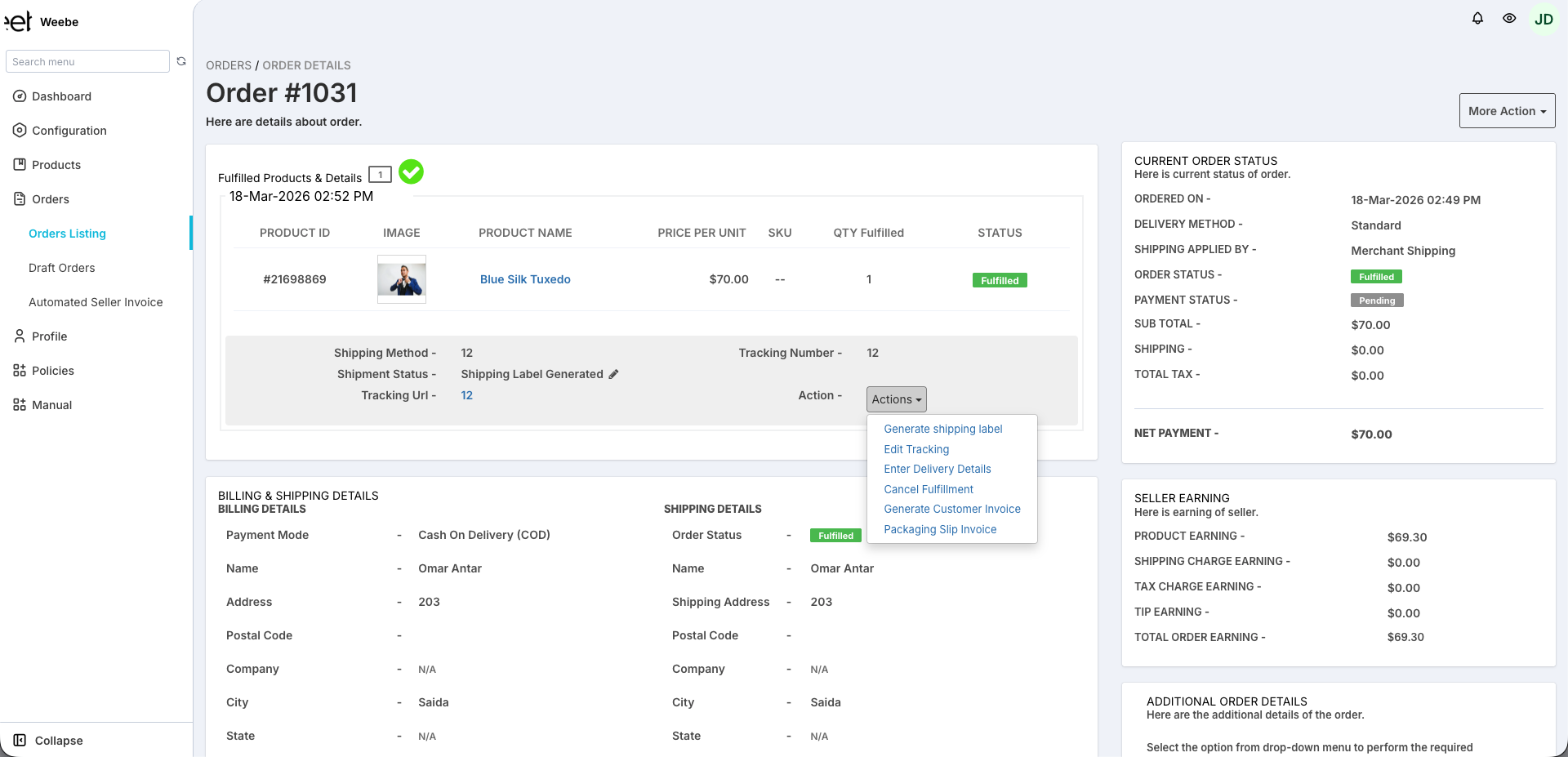
- Download the PDF or print directly
Resending an Invoice to a Customer
Customers automatically receive their invoice by email after fulfilment. If they need it resent:
- Open the order from Orders → Orders Listing
- Click Resend Invoice Email
Invoice Configuration
Ensure your invoice details are up to date before generating invoices. Go to Configuration → Invoice Configuration to update your address, VAT number, telephone, and date format.
See Invoice Configuration for the full setup guide.
Payout Reconciliation
Your weekly payout summary (sent by email every Monday) lists all orders paid in that period with invoice numbers for reconciliation.