Fulfilling Orders
When a new order arrives, you need to prepare it and mark it ready for 3PL collection.
Step 1 — View the Order
- Go to Orders → Orders Listing
- Find the order with status Pending
- Click View to open the order details
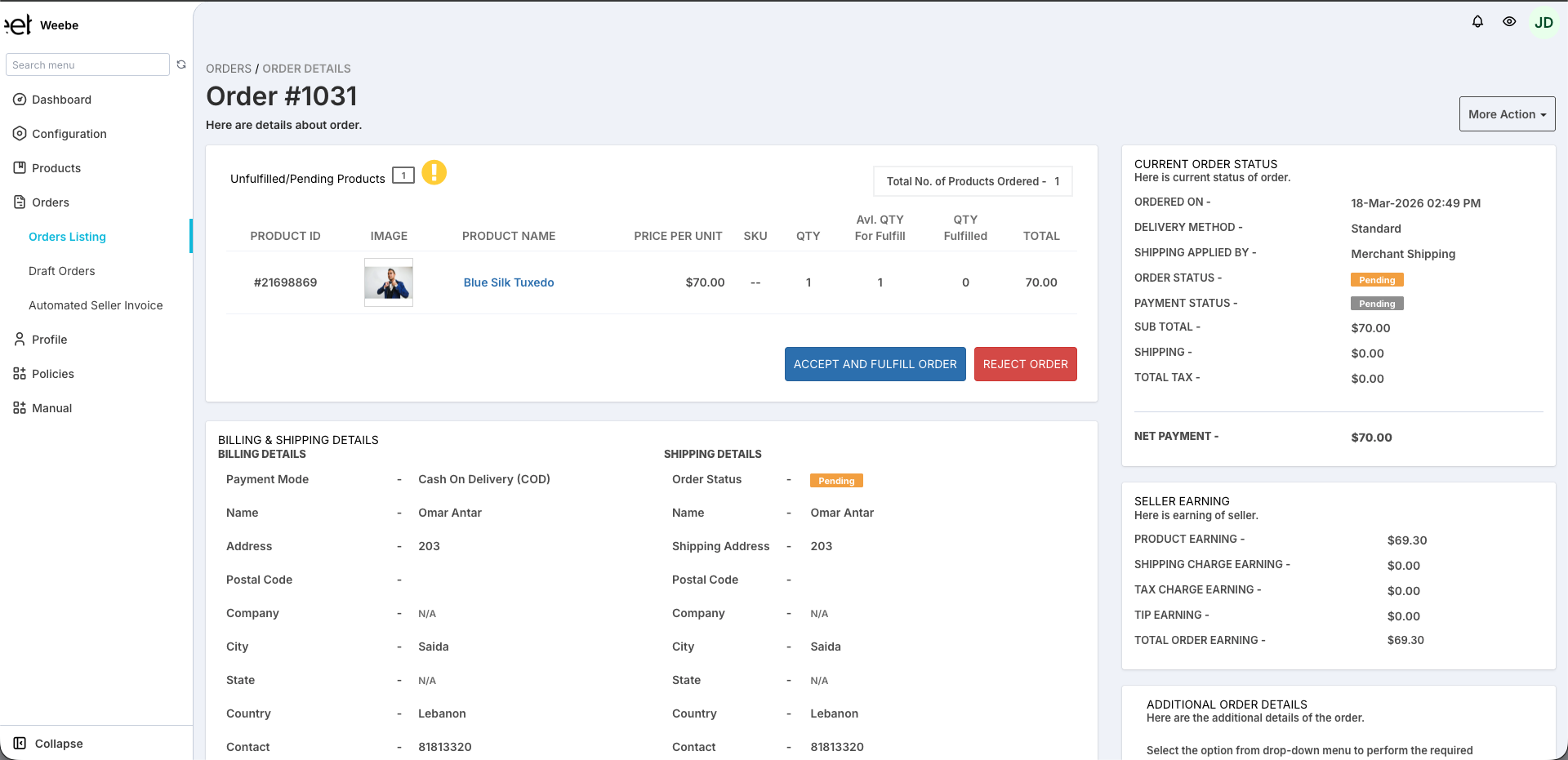
The order detail page shows:
- Products ordered (name, quantity, price, variant)
- Customer billing and shipping address
- Current order status and payment status
- Your seller earnings for this order
Step 2 — Prepare and Pack
- Gather all items and verify quantities and variants match the order
- Pack securely — use appropriate packaging for the item type. Include all required accessories, manuals, and inserts
- Label the outside of the package with the order number (e.g.
#1031) - Include a packing slip inside the package (download from the order detail page)
Damage caused by improper packaging remains your responsibility as the seller, including damage that occurs during transit. Ensure packaging is protective enough for the item type.
Step 3 — Mark as Fulfilled
Once the order is packed and ready:
- On the order detail page, click Accept and Fulfill Order
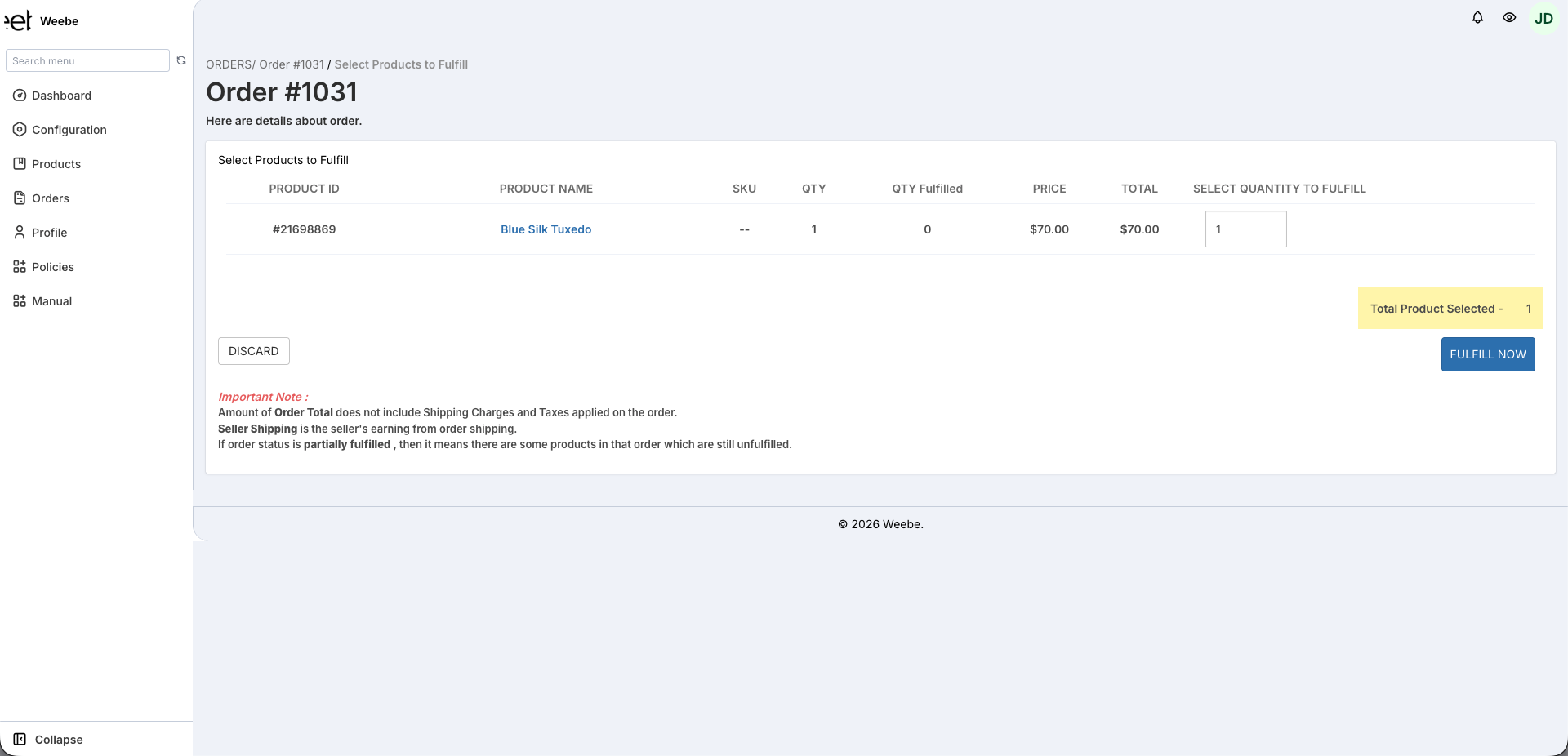
- On the Select Products to Fulfill page, set the quantity for each item and click Fulfill Now
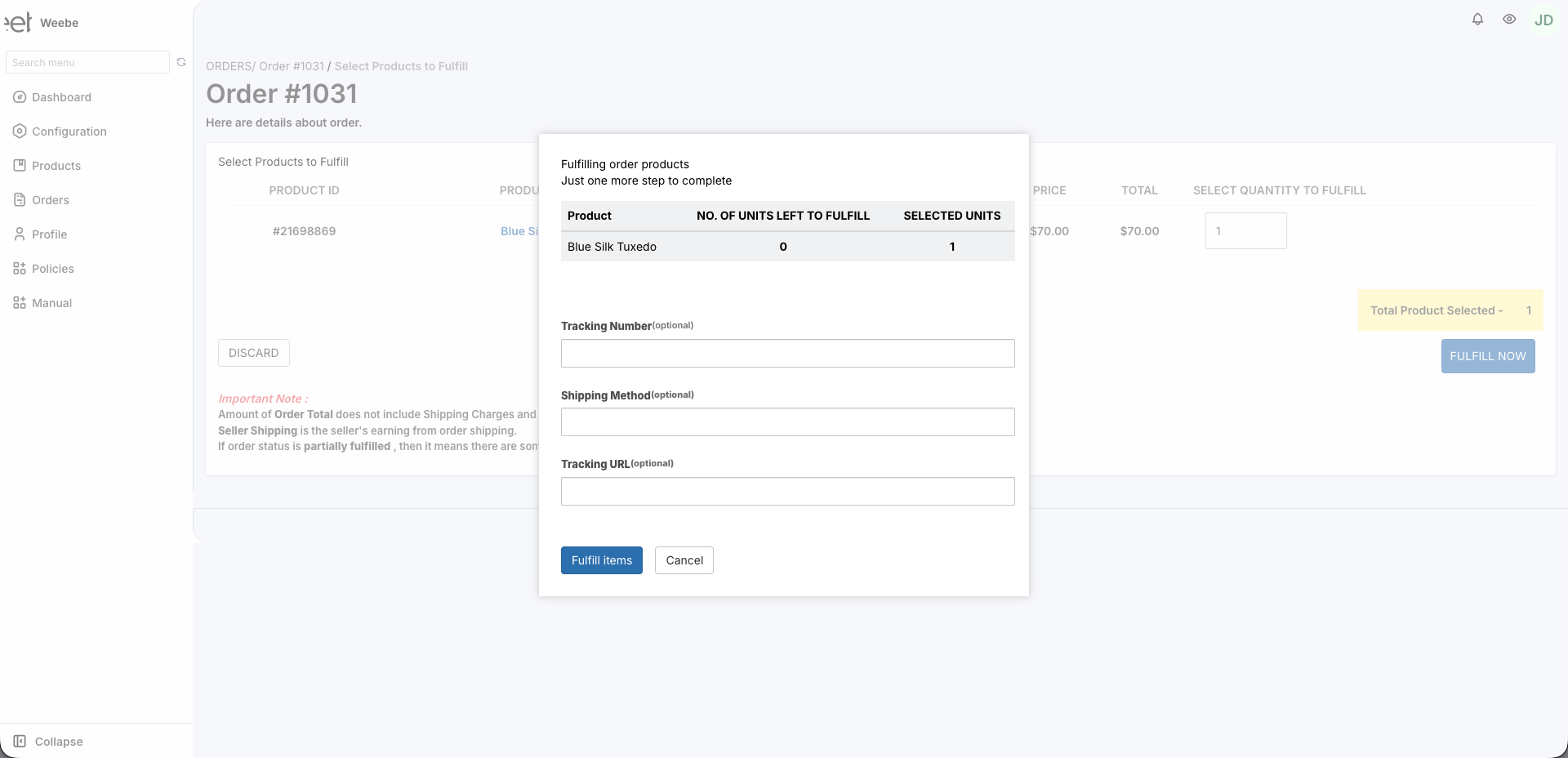
- A confirmation modal appears — optionally enter a Tracking Number, Shipping Method, and Tracking URL
- Click Fulfill Items
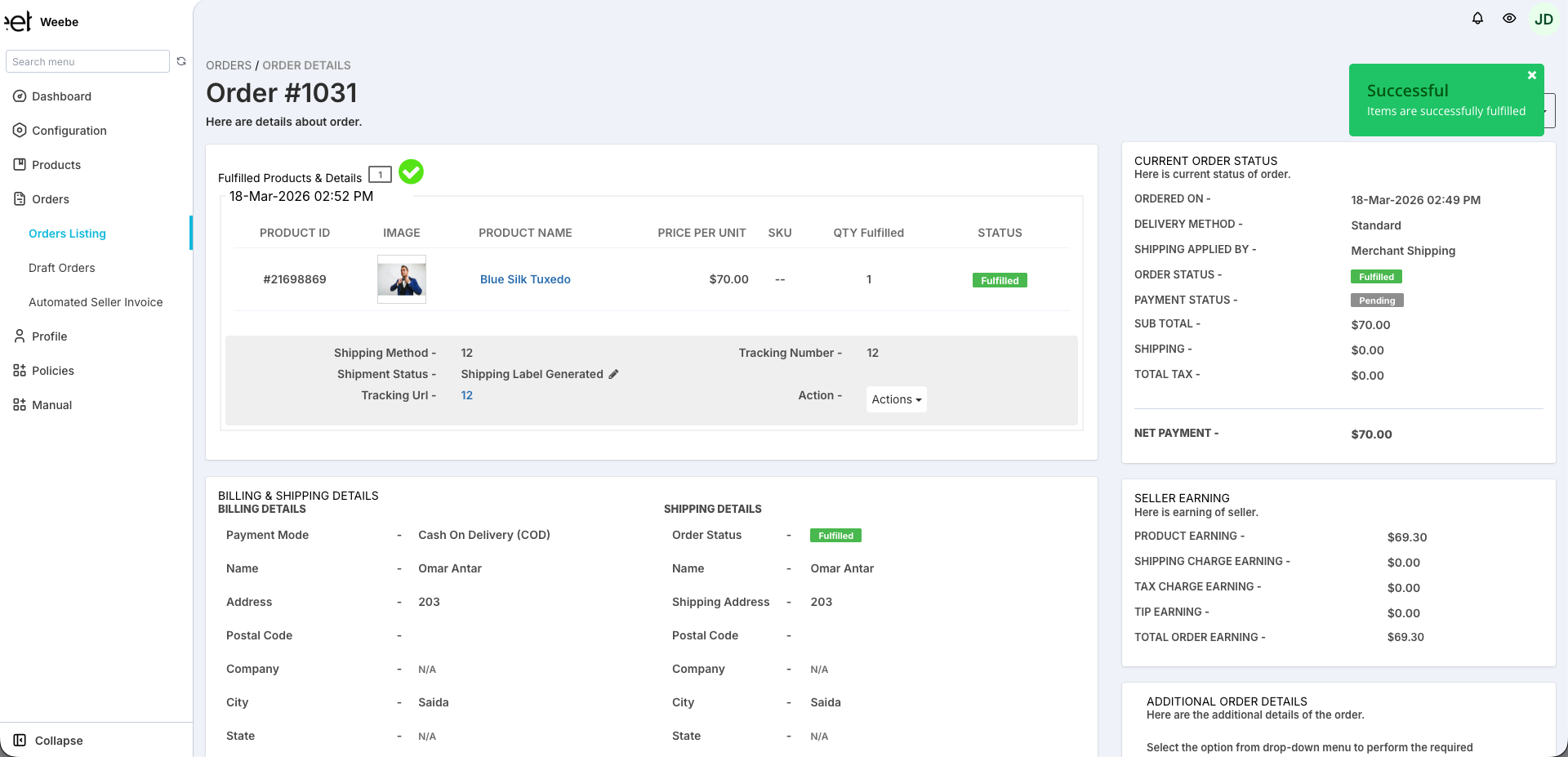
- The order status changes to Fulfilled
The 3PL partner is automatically notified to schedule collection from your address.
Do not mark an order as fulfilled until it is actually packed and ready for pickup. The 3PL may arrive the same day.
Multiple Items in One Order
Pack all items from a single order together. Do not split one order across multiple parcels unless approved by the Weebe team.
Rejecting an Order
If you cannot fulfil an order (item damaged, out of stock, etc.):
- On the order detail page, click Reject Order
- The Weebe team will be notified and will contact the customer to process a refund
Repeated cancellations impact your vendor score. Keep stock levels accurate to avoid overselling.
After Fulfilling
Once marked as fulfilled:
- The customer receives a fulfilment email with their order details
- The 3PL schedules a collection from your registered address
- A customer invoice is automatically generated and sent with the fulfilment email