Marking Orders Delivered
In most cases, the 3PL automatically updates the order to Delivered when they confirm delivery at the customer's door. No action is needed from you.
Automatic Delivery Confirmation
For all 3PL-handled orders, delivery is confirmed automatically when the driver scans the package. The order status updates to Delivered and the customer receives a confirmation email.
Manual Delivery Confirmation
For approved cases where you deliver directly (e.g. local delivery arranged with Weebe):
- Go to Orders → Orders Listing and open the order
- Click Actions and select Order Delivered or Order Delivery Details
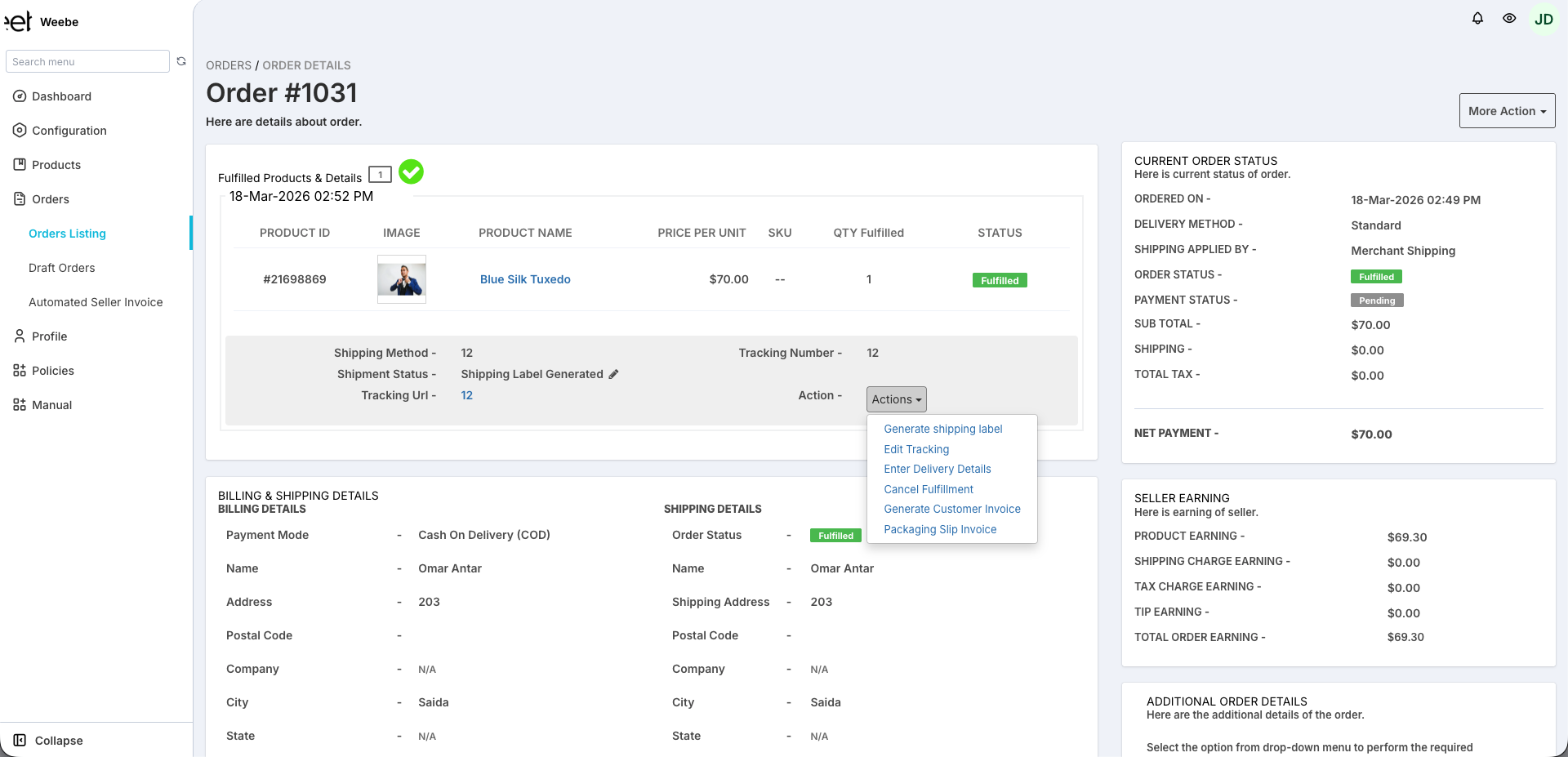
- Confirm the delivery or enter delivery details as prompted
- Click Save
caution
Only mark orders as manually delivered if you have actually completed delivery. Incorrect delivery marks may affect customer trust and your vendor score.
After Delivery
- Order status moves to Delivered
- Your payout for this order is queued for the next weekly payment run
- The customer must report damaged, defective, or incorrect items within 24 hours of delivery (manufacturing defects: 48 hours). Change-of-mind returns are not accepted. See the Return & Exchange Policy for full details.
Disputes
If a customer claims non-delivery but the 3PL has confirmed delivery, contact seller@weebe.co with the order number. The Weebe team will investigate with the 3PL provider.